
UK gamers are no longer tethered to the hardware that once limited what they could play. In 2024, a typical UK household with a 4G or 5G connection can stream a full‑size PC game at 1080p with a 30 ms latency, provided the server is in the UK. That means you can pick up a new title on a tablet and hit “play” without waiting for a download that would normally take hours.
Step 2: Choose a Reliable Service and Device
When selecting a platform, look for one that offers a dedicated UK data centre. For example, a service that routes traffic through London reduces ping to under 50 ms for most players. Pair that with a recent Android phone (e.g., Google Pixel 8) that supports HDR10+ to enjoy the full visual fidelity of modern titles. Avoid older devices that lack the necessary GPU cores; they will throttle frame rates to 30 fps, ruining the experience.
Step 3: Optimize Your Network Settings
Connect to Wi‑Fi using the 5 GHz band and position your router within 10 metres of the device. Disable background apps that consume bandwidth, such as cloud backups or streaming services. If you’re on a mobile plan, enable the “gaming mode” feature on your carrier’s app to prioritize packet delivery. This simple tweak can shave 15 ms off your average latency during peak hours.
Step 4: Manage Your Data Usage
Cloud gaming streams video, so data consumption is high. A 3‑hour session of a 1080p game can use roughly 3 GB. To stay within a 10 GB monthly cap, set a daily limit in your phone’s data‑usage monitor. Turn on the “data saver” toggle in the gaming app to reduce resolution to 720p when you’re approaching the limit; the visual loss is minimal compared to the cost saved.
Common Mistake: Ignoring Device Warm‑up
Many players start a session immediately after a cold boot, causing the device to throttle performance for the first minute. Warm up the phone by opening a lightweight app for 30 seconds before launching the cloud game. This preheats the GPU and ensures consistent frame rates from the start.
Bridge to Online Entertainment
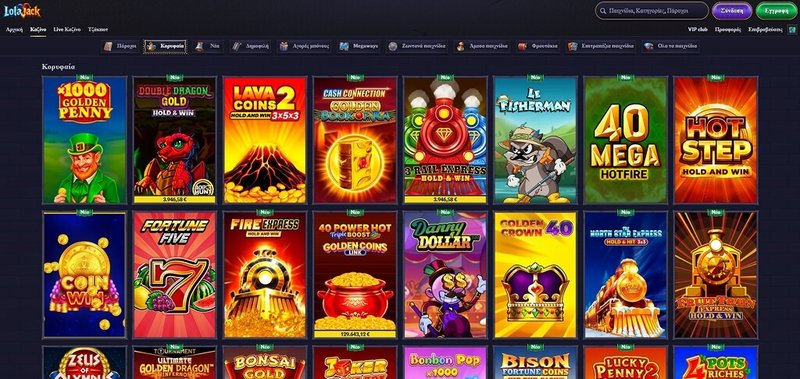
While cloud gaming offers instant access to high‑end titles, it also opens the door to a broader spectrum of online entertainment. If you’re looking to combine gaming with other digital leisure, you might explore platforms that blend streaming, social interaction, and competitive play. For example, you can visit http://lolajackplay-uk.co.uk to discover a range of interactive experiences that complement your gaming routine.
Step 5: Keep Your Software Updated
Both the gaming app and your device’s operating system receive updates that improve performance and security. Enable auto‑updates for the app and schedule system updates for weekends when you’re less likely to be gaming. A 1 % improvement in compression efficiency can translate to a 200 ms reduction in latency for high‑traffic games.
Step 6: Evaluate Your Subscription Model
Most cloud services offer tiered plans: a basic tier at £4.99/month grants access to a library of 50 titles, while a premium tier at £9.99/month unlocks 200 titles and 4K streaming. Calculate your average playtime—if you log 10 hours per week, the premium plan saves you £5 per month compared to buying individual games. Consider a trial period to test performance before committing.
Step 7: Leverage Community Features
Many platforms integrate voice chat, friend lists, and matchmaking directly into the streaming interface. Use the built‑in “party” feature to invite up to four friends for a shared session. This reduces the need for external apps and keeps all communication within the same bandwidth stream, lowering overall data usage.
Step 8: Plan for Future Upgrades
Network infrastructure evolves quickly. In 2025, 5G Ultra‑Wideband will deliver sub‑10 ms latency, making cloud gaming indistinguishable from local play. Keep an eye on carrier announcements and be ready to switch plans when a new tier becomes available. This proactive approach ensures you’re not stuck with a suboptimal connection as technology advances.
Conclusion: Embrace the Mobile Cloud Revolution
By following these steps—choosing a UK‑based server, optimizing your device and network, managing data, and staying updated—you can enjoy console‑quality gaming on a phone or tablet. The flexibility of cloud gaming means you’re no longer tied to a desk or a console; the next time you’re on the train or waiting in line, you can dive into the latest title with just a tap. The future of gaming is mobile, and the tools to make it happen are already in your pocket.
Frequently Asked Questions
What is cloud gaming?
Cloud gaming streams games from remote servers to your device, letting you play without local downloads or powerful hardware.
Do I need a fast internet connection?
Yes, a stable 4G/5G or broadband link is essential for smooth 1080p play and low latency.